✦ImageMetaTools
Hướng dẫn & bài viết

ให้ AI เขียน metadata
ที่พร้อมส่งขึ้น Stock

อัปโหลดภาพ ให้ AI สร้าง Title, Keywords และ Category พร้อมส่งออก CSV สำหรับแพลตฟอร์ม Stock ชั้นนำ

Bạn có thể dùng ngay với tư cách khách. Khách cùng mạng dùng chung hạn mức hằng ngày. Đăng nhập để dùng hạn mức thành viên

Đã vượt hạn mức khách

Đăng nhập để dùng hạn mức thành viên
ตั้งค่าการสร้าง Metadataกำหนดความยาว Title และจำนวน Keywords
iเมื่อเปิดใช้งาน:

• ส่งชื่อไฟล์ของแต่ละภาพให้ AI วิเคราะห์ร่วมกับภาพ
• ใช้ข้อมูลจากชื่อไฟล์เป็นแนวทางสร้าง Title และ Keywords
• ใช้เฉพาะข้อความที่สอดคล้องกับสิ่งที่เห็นในภาพ
• ชื่อไฟล์ถูกส่งเป็นข้อมูลเท่านั้น AI จะไม่ตีความข้อความในชื่อไฟล์เป็นคำสั่ง
• ใช้ได้ทั้งการวิเคราะห์ภาพทั้งหมดและ Re-Gen รายภาพ
iเมื่อเปิดใช้งาน AI จะตรวจสอบ Title และ Keywords ก่อนส่งผลลัพธ์ และลบ:

• ชื่อแบรนด์และบริษัท
• ชื่อผลิตภัณฑ์
• โลโก้และสโลแกน
• คำที่อาจเกี่ยวข้องกับเครื่องหมายการค้า

หากเหมาะสม AI จะใช้คำทั่วไปแทน เช่น เปลี่ยนชื่อยี่ห้อโทรศัพท์เป็น smartphone ระบบนี้ใช้กับทั้งการวิเคราะห์ปกติและ Re-Gen
0/500
ฟังก์ชันวิดีโอi• รองรับไฟล์ MP4, MOV, WebM และ M4V
• อัปโหลดภาพและวิดีโอพร้อมกันได้
• แสดงตัวอย่างวิดีโอพร้อมปุ่มเล่น
• แยกเฟรมตามที่ตั้งค่ากระจายตลอดทั้งวิดีโอ
• ลดขนาดเฟรมไม่เกินขนาดที่ตั้งค่า px เพื่อลด Token
• ส่งเฟรมตามลำดับเวลาให้ AI วิเคราะห์
• แสดงจำนวนเฟรมที่ใช้วิเคราะห์
• ตรวจสอบและลบเฟรมที่ไม่ต้องการก่อนส่งให้ AI ได้
• ไฟล์วิดีโอชั่วคราวจะถูกลบทันทีหลังแยกเฟรม
ยังไม่ได้เลือกไฟล์

Hướng dẫn công cụ

Giới thiệu công cụ · Trình tạo Metadata AI

Tạo Title, Keywords và Category cho hình ảnh hoặc video bằng AI và xuất dữ liệu cho nền tảng Stock.

Tệp được hỗ trợ

JPGJPEGPNGWebPMP4MOVWebMM4V

Cách sử dụng

  1. Chọn tệp hoặc kéo tệp vào vùng tải lên.
  2. Điều chỉnh cài đặt và kiểm tra bản xem trước.
  3. Bắt đầu xử lý rồi tải từng tệp hoặc ZIP.

hoặc nhấn Ctrl+V để dán ảnh từ clipboard

Quyền riêng tư và xử lý

Tệp chỉ được dùng để hoàn tất thao tác đã chọn. Việc xử lý có thể diễn ra trên Browser hoặc Server tùy công cụ và cấu hình.

Example

For a drone clip that starts over a beach and moves out to sea, keep frames from both scenes so the generated title and keywords can reflect the whole clip. The sample row below shows the Adobe Stock CSV format. Category 11 is Landscape.

Filename,Title,Keywords,Category,Releases
coastal-drone.mp4,Drone view of a sandy beach and waves along the coastline,"coastline, beach, drone footage, ocean, waves, aerial view, sandy shore",11,

Download the sample CSV (Adobe Stock)

Sample output

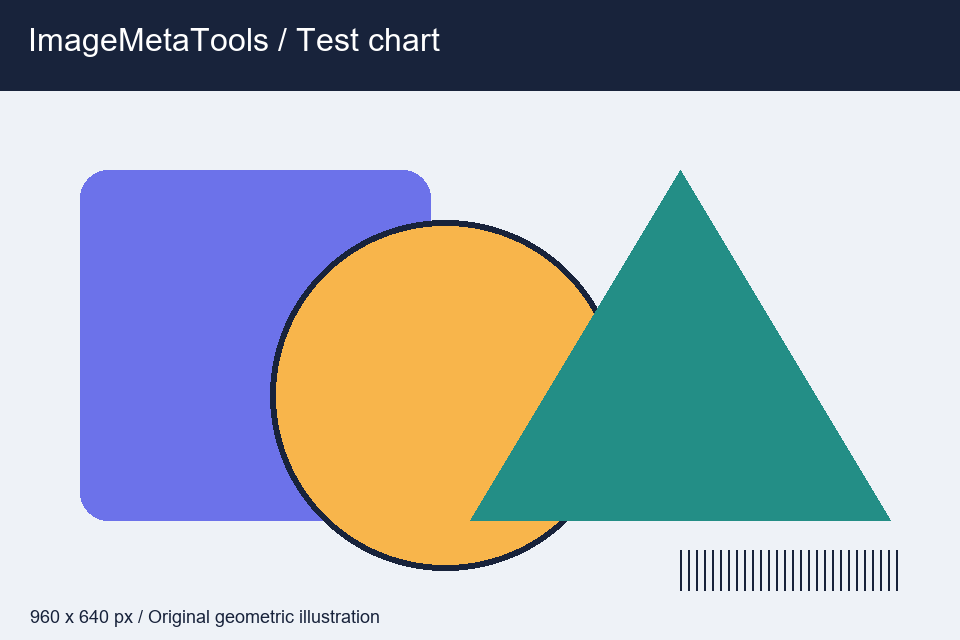
An edited metadata example for this test chart. Use it to review the title and keyword format before generating your own results.
Input · ImageMetaTools
Input · 960 × 640 px · 17797 bytes
  • Title: Colorful geometric shapes with a striped test pattern on a pale background
  • Keywords: geometric shapes, illustration, circle, triangle, rectangle, color, test pattern
  • Category: 8 — Graphic Resources

Download the input to try it yourself

Illustration and test files created by ImageMetaTools. Sample transformations use Pillow. Encoded output may vary with your device and processing method.

Câu hỏi thường gặp

Có thể chọn nhiều tệp cùng lúc không?

Có. Hệ thống hỗ trợ xử lý hàng loạt theo giới hạn số lượng và kích thước.

Tệp gốc có bị thay đổi không?

Không. Tệp gốc không bị ghi đè; kết quả được tạo thành tệp mới.

Làm gì khi xử lý thất bại?

Kiểm tra loại và kích thước tệp, giảm số lượng mỗi lượt và xem thông báo lỗi.

Choose each category separately. You can change your choices under Cookie settings in the footer.

Essential cookiesAlways on

Keep you signed in, manage access and remember your cookie choices.

Allow ImageMetaTools to record visits and use Google Analytics 4, when configured, to measure page views and social link clicks.

Allow Google AdSense to load and its partners to use cookies to deliver and measure ads.

Cookie details and retention