✦ImageMetaTools
Guias e artigos

ให้ AI เขียน metadata
ที่พร้อมส่งขึ้น Stock

อัปโหลดภาพ ให้ AI สร้าง Title, Keywords และ Category พร้อมส่งออก CSV สำหรับแพลตฟอร์ม Stock ชั้นนำ

Use a ferramenta como visitante. Visitantes na mesma rede compartilham a cota diária. Entre para usar a cota de membro

Cota de visitante excedida

Entre para usar a cota de membro
ตั้งค่าการสร้าง Metadataกำหนดความยาว Title และจำนวน Keywords
iเมื่อเปิดใช้งาน:

• ส่งชื่อไฟล์ของแต่ละภาพให้ AI วิเคราะห์ร่วมกับภาพ
• ใช้ข้อมูลจากชื่อไฟล์เป็นแนวทางสร้าง Title และ Keywords
• ใช้เฉพาะข้อความที่สอดคล้องกับสิ่งที่เห็นในภาพ
• ชื่อไฟล์ถูกส่งเป็นข้อมูลเท่านั้น AI จะไม่ตีความข้อความในชื่อไฟล์เป็นคำสั่ง
• ใช้ได้ทั้งการวิเคราะห์ภาพทั้งหมดและ Re-Gen รายภาพ
iเมื่อเปิดใช้งาน AI จะตรวจสอบ Title และ Keywords ก่อนส่งผลลัพธ์ และลบ:

• ชื่อแบรนด์และบริษัท
• ชื่อผลิตภัณฑ์
• โลโก้และสโลแกน
• คำที่อาจเกี่ยวข้องกับเครื่องหมายการค้า

หากเหมาะสม AI จะใช้คำทั่วไปแทน เช่น เปลี่ยนชื่อยี่ห้อโทรศัพท์เป็น smartphone ระบบนี้ใช้กับทั้งการวิเคราะห์ปกติและ Re-Gen
0/500
ฟังก์ชันวิดีโอi• รองรับไฟล์ MP4, MOV, WebM และ M4V
• อัปโหลดภาพและวิดีโอพร้อมกันได้
• แสดงตัวอย่างวิดีโอพร้อมปุ่มเล่น
• แยกเฟรมตามที่ตั้งค่ากระจายตลอดทั้งวิดีโอ
• ลดขนาดเฟรมไม่เกินขนาดที่ตั้งค่า px เพื่อลด Token
• ส่งเฟรมตามลำดับเวลาให้ AI วิเคราะห์
• แสดงจำนวนเฟรมที่ใช้วิเคราะห์
• ตรวจสอบและลบเฟรมที่ไม่ต้องการก่อนส่งให้ AI ได้
• ไฟล์วิดีโอชั่วคราวจะถูกลบทันทีหลังแยกเฟรม
ยังไม่ได้เลือกไฟล์

Guia da ferramenta

Sobre esta ferramenta · Gerador de Metadata com AI

Crie Title, Keywords e Category para imagens ou vídeos com AI e exporte para plataformas Stock.

Arquivos compatíveis

JPGJPEGPNGWebPMP4MOVWebMM4V

Como usar

  1. Selecione arquivos ou arraste-os para a área de envio.
  2. Ajuste as configurações e confira a prévia.
  3. Inicie o processamento e baixe os arquivos ou ZIP.

ou pressione Ctrl+V para colar imagens da área de transferência

Privacidade e processamento

Seus arquivos são usados apenas para concluir a operação escolhida. O processamento pode ocorrer no navegador ou servidor conforme a ferramenta e a configuração.

Example

For a drone clip that starts over a beach and moves out to sea, keep frames from both scenes so the generated title and keywords can reflect the whole clip. The sample row below shows the Adobe Stock CSV format. Category 11 is Landscape.

Filename,Title,Keywords,Category,Releases
coastal-drone.mp4,Drone view of a sandy beach and waves along the coastline,"coastline, beach, drone footage, ocean, waves, aerial view, sandy shore",11,

Download the sample CSV (Adobe Stock)

Sample output

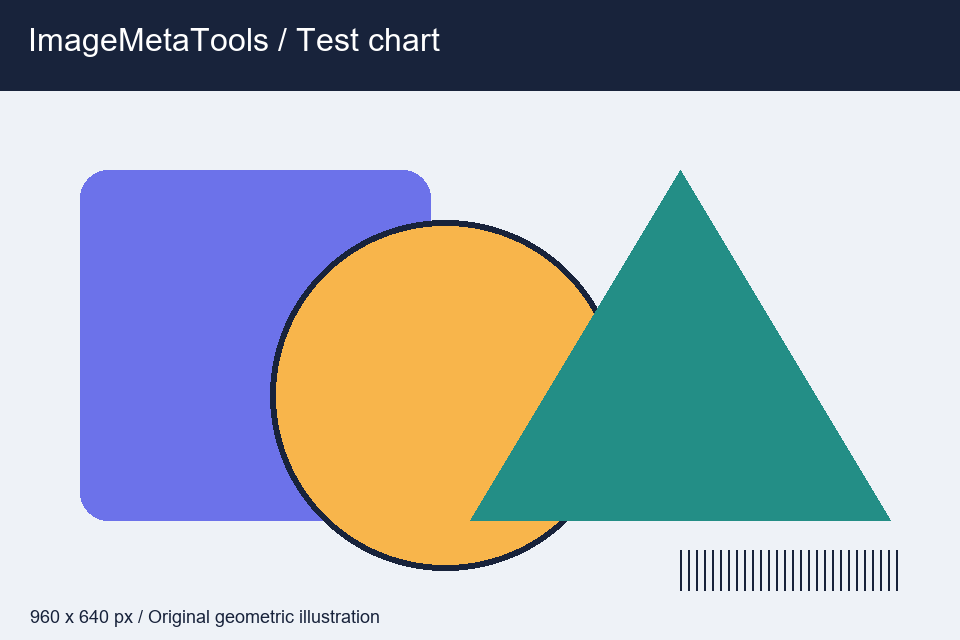
An edited metadata example for this test chart. Use it to review the title and keyword format before generating your own results.
Input · ImageMetaTools
Input · 960 × 640 px · 17797 bytes
  • Title: Colorful geometric shapes with a striped test pattern on a pale background
  • Keywords: geometric shapes, illustration, circle, triangle, rectangle, color, test pattern
  • Category: 8 — Graphic Resources

Download the input to try it yourself

Illustration and test files created by ImageMetaTools. Sample transformations use Pillow. Encoded output may vary with your device and processing method.

Perguntas frequentes

Posso selecionar vários arquivos?

Sim. O processamento em lote é permitido dentro dos limites do sistema.

Os arquivos originais serão alterados?

Não. Os originais não são sobrescritos; novos arquivos são criados.

O que fazer se o processo falhar?

Confira o formato e tamanho, reduza a quantidade por lote e veja o aviso de erro.

Choose each category separately. You can change your choices under Cookie settings in the footer.

Essential cookiesAlways on

Keep you signed in, manage access and remember your cookie choices.

Allow ImageMetaTools to record visits and use Google Analytics 4, when configured, to measure page views and social link clicks.

Allow Google AdSense to load and its partners to use cookies to deliver and measure ads.

Cookie details and retention